LED desk lamps are popular for their modern design and energy efficiency. However, many users experience the frustrating issue of flickering. If you’ve ever asked, "why is my LED desk lamp flickering?", you’re not alone. Flickering can stem from various sources, including poor connections or incompatible bulbs.
When your LED lamp flickers, it can disrupt your focus and productivity. This flickering may not just be an annoyance; it could indicate deeper electrical problems. It's essential to understand potential causes and solutions. Recognizing these issues can save you time and possibly money in repairs.
In this guide, we will explore common reasons for flickering and how to troubleshoot them effectively. We'll share expert tips that help you pinpoint the cause. By addressing the flicker, you can enhance your workspace comfort and function. Let's dive into the journey of resolving that pesky flicker in your LED desk lamp.
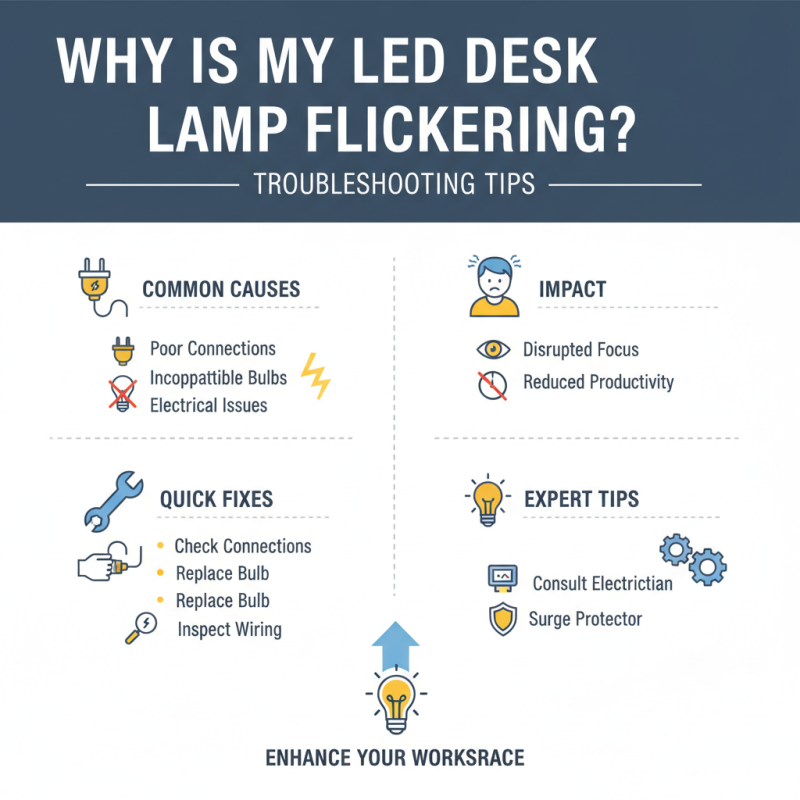
A flickering LED desk lamp can be frustrating. Understanding the common causes helps you troubleshoot effectively. One significant reason is incompatible dimmer switches. LED lamps require specific dimmers. If the dimmer is old or not compatible, it may result in flickering lights. Check whether your dimmer is rated for LED use.
Another possible cause is poor connections. Loose wiring or improper fittings can lead to intermittent power supply. Inspect the lamp's plug and socket. Ensure that everything is securely connected. You may also want to try a different outlet to see if the flickering persists.
Sometimes the quality of the LED bulb itself matters. Low-quality bulbs might flicker, especially when they are nearing the end of their life. Keep an eye on the bulb's performance over time. If it flickers inconsistently, replacing it might be a practical solution. Addressing these issues can enhance your lamp’s performance and improve your workspace.
Flickering LED desk lamps can be frustrating. Often, the problem lies in the power source and connections. Checking these components is crucial for proper functionality. According to industry reports, over 30% of flickering issues arise from loose connections or faulty power sources. This can include problems with the outlet, extension cord, or wiring.
Start by inspecting your power source. Make sure the lamp is plugged directly into a wall outlet. If it’s using an extension cord, swap it for a direct connection. A poor connection can lead to inconsistent current. Consider using a multimeter to check for voltage stability at the outlet. Variations in voltage can cause flickering.
Check all connections, including the plug and the cord. Loose wires can create intermittent issues. Many users overlook this, thinking the problem lies within the lamp itself. If everything appears secure, try a different outlet. Also, avoid using multiple high-wattage devices on the same circuit. Too much load can strain the circuit, causing fluctuations in current.
For quick tips, ensure that your desk lamp isn’t placed near electronic devices that interfere with its signal. This can help maintain smooth operation. When in doubt, consult a qualified electrician. Their expertise can provide further insights into persistent flickering issues.
This chart illustrates the frequency of different issues causing LED desk lamp flickering. Power source issues and faulty LEDs are the most common problems, while dimming features and loose connections contribute less frequently.
LED bulbs are popular due to their energy efficiency and long lifespan. However, flickering issues can arise, often linked to bulb compatibility. Not all LED bulbs are designed to work with every lamp. Dimming features may also cause unexpected flickering. Ensuring that your LED bulb matches your desk lamp's specifications is essential.
Check the wattage and voltage ratings of both your bulb and desk lamp. Mismatches can result in poor performance. Using a bulb that exceeds the recommended wattage can lead to flickering or even cause damage. Moreover, some older dimmer switches are not compatible with LED technology, leading to erratic light behavior.
If flickering persists, consider testing your lamp with different bulbs. This trial method can help identify the root cause. Sometimes, it may just be a faulty bulb or an issue with the lamp's wiring. Reflecting on these aspects can lead to better understanding and troubleshooting. Addressing these minor issues can enhance your overall lighting experience.
Dimmer switches are popular for their versatility. They can create a cozy atmosphere, but they are often linked to flickering LED desk lamps. This issue frequently arises from incompatibility. Many dimmers are designed for older incandescent bulbs, not for modern LED technology.
When LED lamps flicker, the first step is to check the dimmer. Is it compatible with LED bulbs? Some dimmers lack the right circuitry. A simple replacement might be necessary. Upgrading to a dimmer rated for LEDs can resolve much of the flickering. Testing the lamp with a standard switch can also provide insights. If the flickering stops, the dimmer is likely the culprit.
Another factor to consider is the load or wattage. Many dimmers require a minimum load to function correctly. If the combined wattage of your LED lights is too low, flickering may occur. Experimenting with adding more bulbs might help. Lastly, remember that wiring issues can also play a role in flickering lights. Poor connections can lead to inconsistent power supply. Checking wiring quality is crucial for reliable lighting. Avoiding shortcuts during installation is wise; it can save future headaches.
Flickering LED desk lamps can often signal underlying electrical issues in your home. One common culprit is an unstable power supply. When the voltage fluctuates, it can cause your lamp to flicker. To test this, try plugging in another electrical device in the same outlet. If they both flicker, the outlet may need attention.
Loose connections can also lead to flickering. Check the bulb socket and ensure the bulb is securely fitted. If it’s loose, it might not make proper contact. Poor connections within the lamp’s wiring or at the plug can also cause flickering. To identify these issues, inspect the wiring for any visible damage or fraying.
If your lamp is flickering but the outlet seems fine, other factors might be at play. Overloaded circuits can create instability in power delivery. You may need to redistribute your appliances across different outlets. Lights sometimes compete for power if too many devices are plugged into one circuit. Sometimes, older homes with outdated wiring contribute to frequent flickering. Upgrading the wiring could resolve persistent problems. Always prioritize safety when dealing with electrical issues, and consult a professional if necessary.
| Potential Cause | Description | Troubleshooting Steps |
|---|---|---|
| Loose Bulb | The bulb may not be securely seated in the socket, causing flickering. | Turn off the lamp, securely tighten the bulb, and turn it back on. |
| Incompatible Dimmer | The dimmer switch may not be compatible with LED technology. | Check if the dimmer is rated for LED use and replace it if necessary. |
| Voltage Fluctuations | Inconsistent voltage supply can cause lights to flicker. | Use a multimeter to check voltage levels and consult an electrician if needed. |
| Faulty Lamp | The LED lamp itself may be defective. | Replace the lamp with a new one to see if flickering persists. |
| Wiring Issues | Damaged or loose wiring can lead to inconsistent power supply. | Inspect wiring for damage and consult an electrician for repairs. |
: Flickering can occur due to incompatible dimmer switches, loose connections, or low-quality bulbs.
If a dimmer is old or not rated for LEDs, it can cause lights to flicker.
Over 30% of flickering issues arise from loose connections or faulty power sources.
Inspect the lamp's plug, socket, and consider trying a different outlet for better results.
Ensure that all wires are secure and look for any visible damage on the lamp's cord.
Yes, unstable power supply or overloaded circuits can cause flickering in your desk lamp.
Using a multimeter, check the voltage at the outlet to ensure it's stable.
Too much load on one circuit can strain the power supply, causing flickering lights.
Check all connections and measure voltage. If issues persist, consult an electrician.
Low-quality bulbs might flicker, especially as they age. Monitor their performance regularly.
If you're wondering, "why is my LED desk lamp flickering," there are several common causes to consider. First, check the power source and connections, as loose or damaged wires may lead to flickering. Additionally, ensure that the LED bulb is compatible with your lamp, as mismatched components can cause instability in lighting.
It's also essential to look into dimmer switches if your lamp is connected to one, as these can significantly impact flickering due to incompatibility with LED technology. Lastly, potential electrical problems within your home should not be overlooked, as fluctuating voltage or outdated circuitry can contribute to the issue. By systematically addressing each of these areas, you can effectively troubleshoot and resolve the flickering of your LED desk lamp.

Q-Link Lighting